
Whole-building usage
Follow cumulative kWh at the main service and compare billing cycles. Review energy history and estimated costs before investigating individual loads.
Commercial buildings
Understand the electricity used across your building. MeterSight brings metered energy totals, electrical trends and reports together for facility and property teams.
kWh reporting in Bronze. Live power monitoring and trends in Silver and Gold.
Building visibility
A main meter gives you the building total. Submeters help you understand the tenants, panels and equipment behind that total.
Follow cumulative kWh at the main service and compare billing cycles. Review energy history and estimated costs before investigating individual loads.
Use metered spaces or circuits to support cost allocation. Export usage records for property management and accounting. See the tenant reporting workflow.
Separate metered HVAC, lighting and other equipment from the building total. In Silver and Gold, review live power and recorded trends for those meters.
MeterSight reads the meters you connect. The level of detail depends on where meters are installed and which measurements they provide.
Daily operation
Energy totals tell you how much was used. Silver and Gold add live electrical values and continuous trending so you can review when loads change.
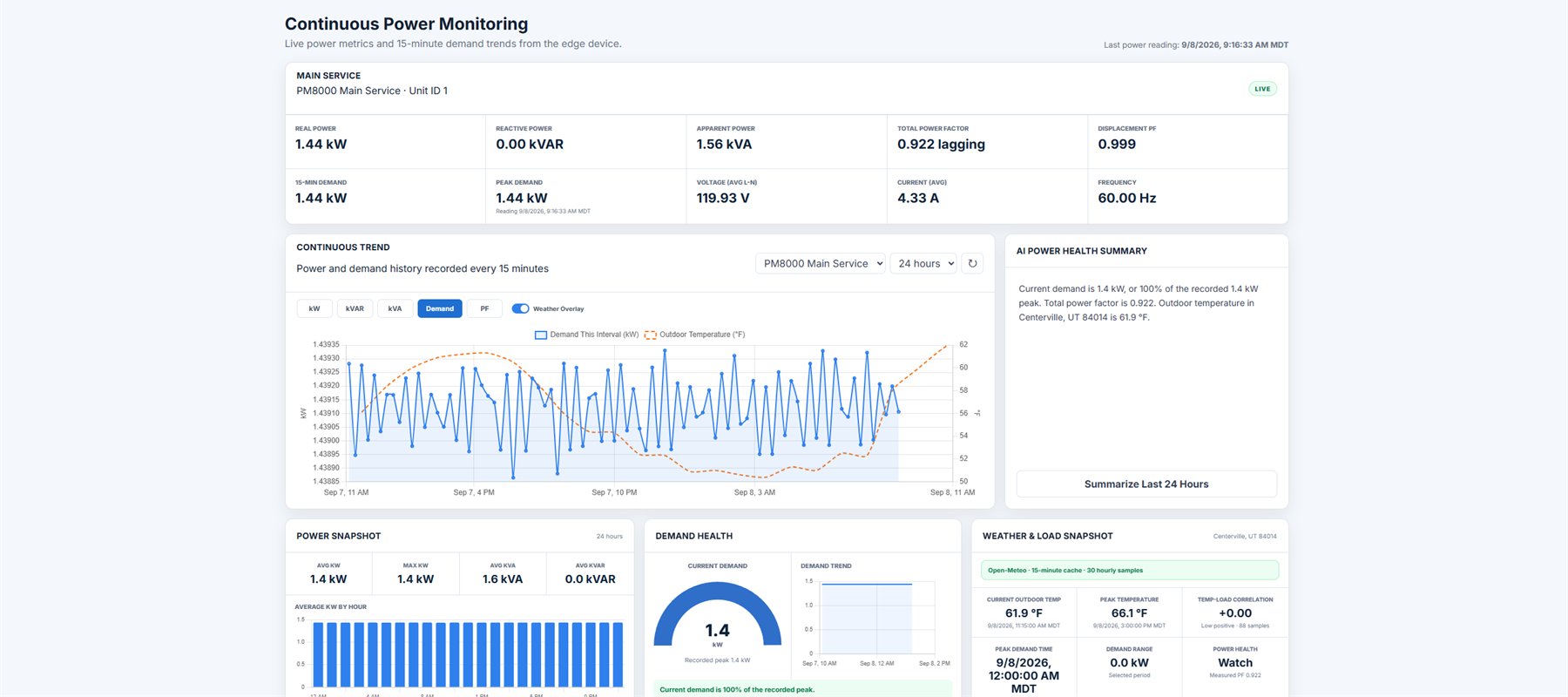
Look at recorded power during unoccupied hours. Compare it with operating schedules to decide which metered equipment needs a closer look.
Review trends around a schedule change, a new tenant or an equipment change. Use the recorded readings as context for your investigation.
Follow voltage, current, power factor and frequency where available. Silver and Gold also show harmonics and voltage THD events from compatible meters.
A regular review
Set the site's billing-cycle day, review kWh by meter or breaker, and apply a blended rate for estimated energy costs. All packages export PDF reports and CSV data.
Silver and Gold add scheduled email reports. A facility team can review electrical trends while accounting receives the energy summary for the completed billing cycle.
Estimated costs use the rate you enter. They support comparison and allocation, but do not reproduce every charge on a utility bill.
Choose the depth you need
Choose by the work your team needs to do. The package features are the same in the cloud and on premises; with Cloud, we host your data.
Bronze
For building teams that need cumulative kWh, billing-cycle comparisons, blended-rate estimates and PDF or CSV exports.
View BronzeSilver
Add live electrical values, continuous trends, harmonics, voltage THD events and scheduled email reports to the energy accounting tools.
View SilverGold
Add alarms, campus and one-line graphics, sag and swell detection, ITIC analysis and a COMTRADE waveform viewer.
View GoldExplore Silver's live values and trends, or open Gold to see the additional graphics and analysis tools.
Planning a connection? Read the Modbus energy monitoring guide or contact Jake about your meters.